| NTK.365 |
|
#0007 – Teams | ||||||||||||||||||
|---|---|---|---|---|---|---|---|---|---|---|---|---|---|---|---|---|---|---|---|---|
|
Title:
|
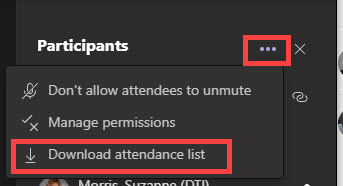
How to Track Attendance in Microsoft Teams Meetings | |||||||||||||||||||
|
Available:
|
Now! | |||||||||||||||||||
| Message: |
| |||||||||||||||||||
You Tube Video:
How to Track Attendance in Microsoft Teams
(Disclaimer: Information covered in external resources may not always apply or be available in the Government Community Cloud -GCC- environment.)
Posted:

Any questions or concerns, email Project_O365@delaware.gov.
Email Project_O365@delaware.gov
Delaware's Governor
State Directory
Elected Officials
General Assembly
Delaware Courts
State Employees
Cities & Towns
Delaware State Code
State Regulations
Business First Steps
Phone Directory
Locations Directory
Delaware Public Meetings
Voting & Elections
Transparency
Choose Health DE
Tax Center
Personal Income Tax
Privacy Policy
Weather & Travel
Contact State Agencies
Corporations
Franchise Tax
Gross Receipts Tax
Withholding Tax
Guides to Services
Help Center
Mobile Apps
E-mail / Text Alerts
Social Media


Built by the Government Information Center
©MMXXVI Delaware.gov